

Results are worth most to the people who have to act on them. That is why you can now share them, limited to what is meant for that person. And the invitation itself works better: the first question is already in it, and the email looks the way your organisation looks.
Share, with the filters locked
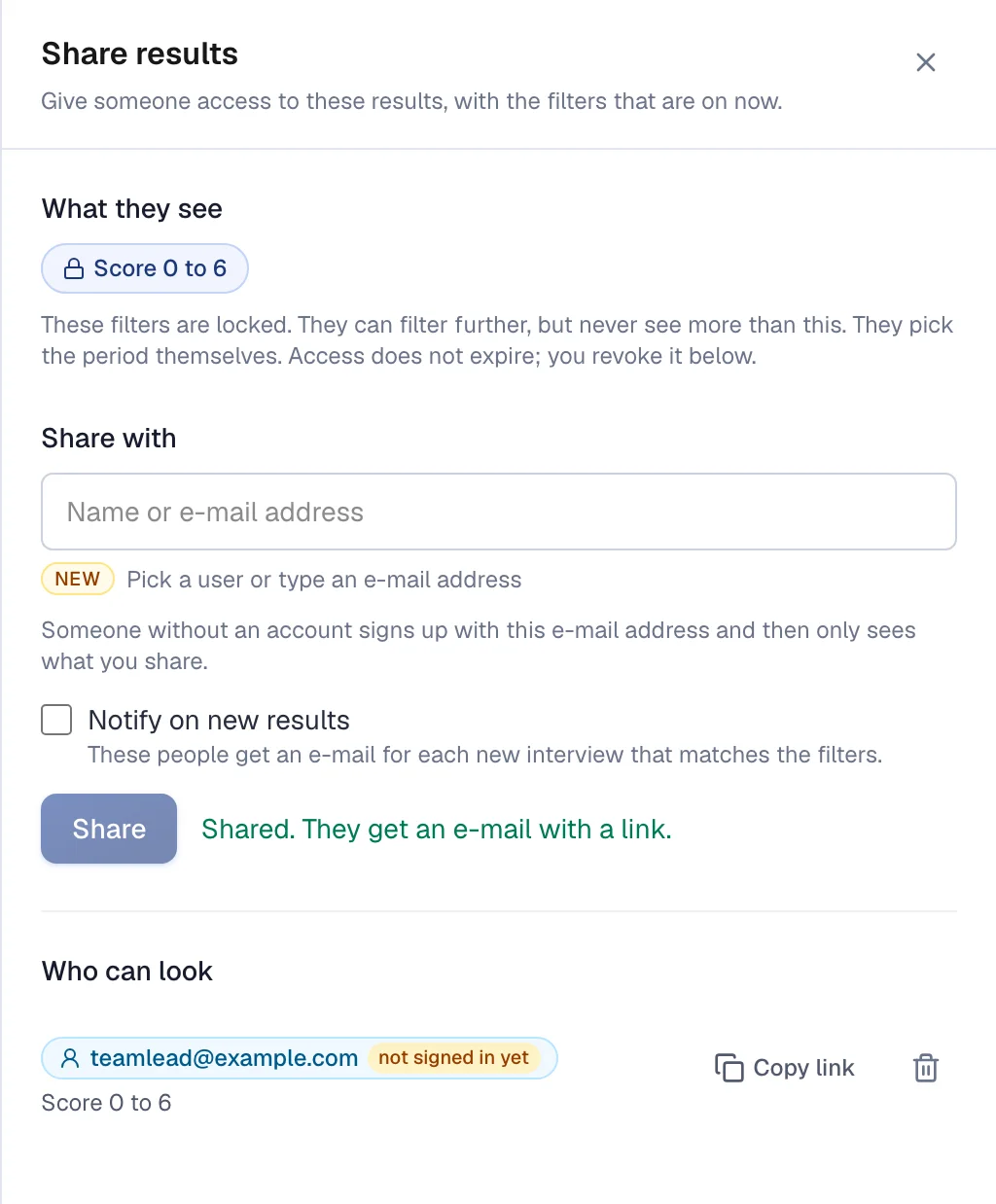
A team leader doesn't need to see the results for the whole country. A client only needs the ones for their own project. On the Results tab, choose the filters you want, for example only one team or only the scores up to 6, and click Share.
Those filters are locked for the other person. Within that frame they see everything: the score, the trend, the conclusion, the themes with quotes and the interviews themselves. They can zoom in further, but never look wider. Access doesn't expire, and you revoke it in the same window.
The first question is already in the email
Put the score question, with buttons, in your invitation email. Whoever clicks a number lands straight in the interview, with that score already filled in. Your participant takes the first step in the email itself, which makes it easier to join in.
The question itself comes from the survey and can't be changed in the email. That way everyone answers exactly the same question.
Your invitation in your own house style
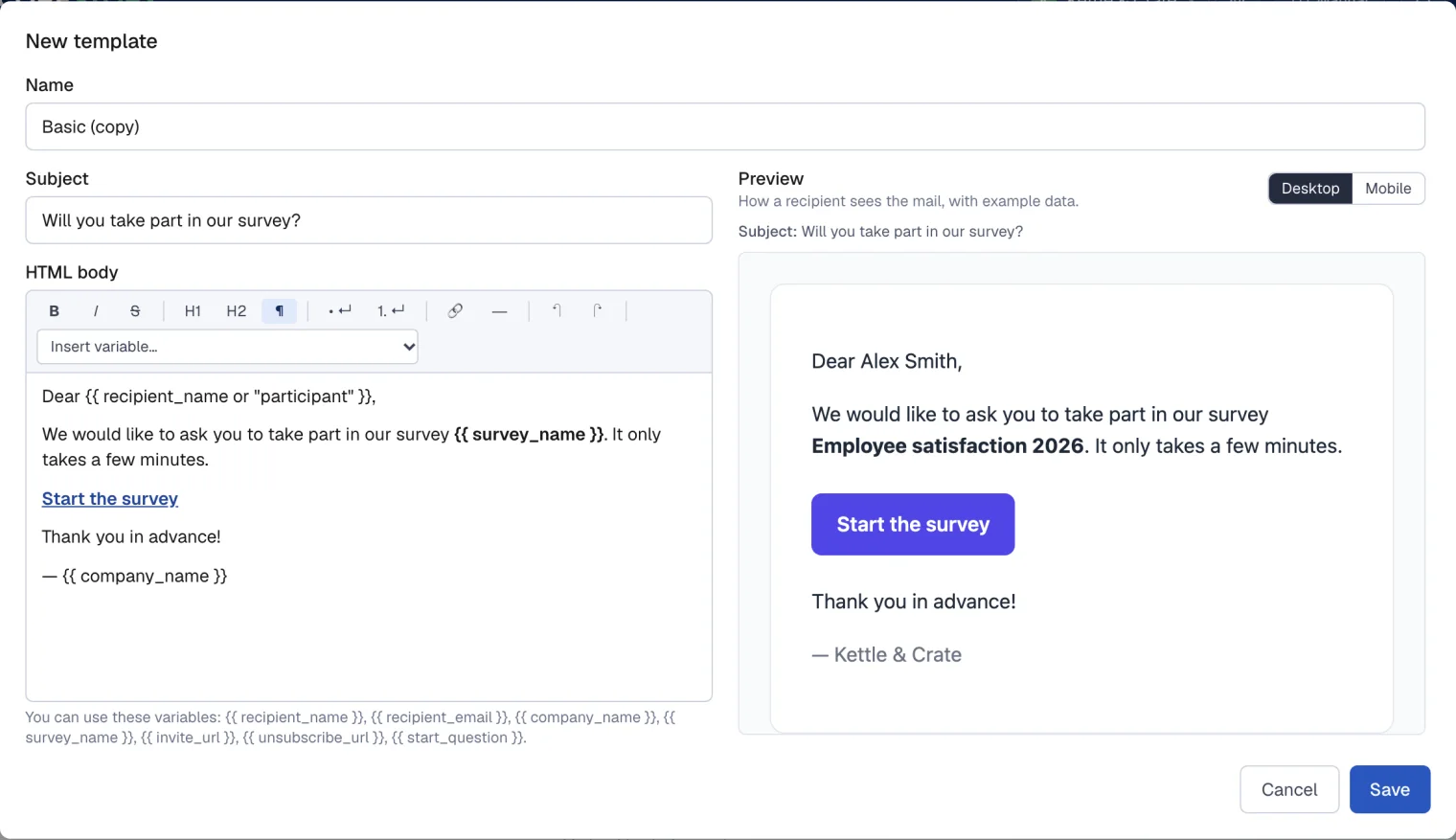
An email template now has a layout of its own. Put your logo at the top, add a full-width header image, give the email a footer with its own background colour and pick a font. Next to the editor you see straight away how the email looks, on a computer and on a phone.
See how each interview ended
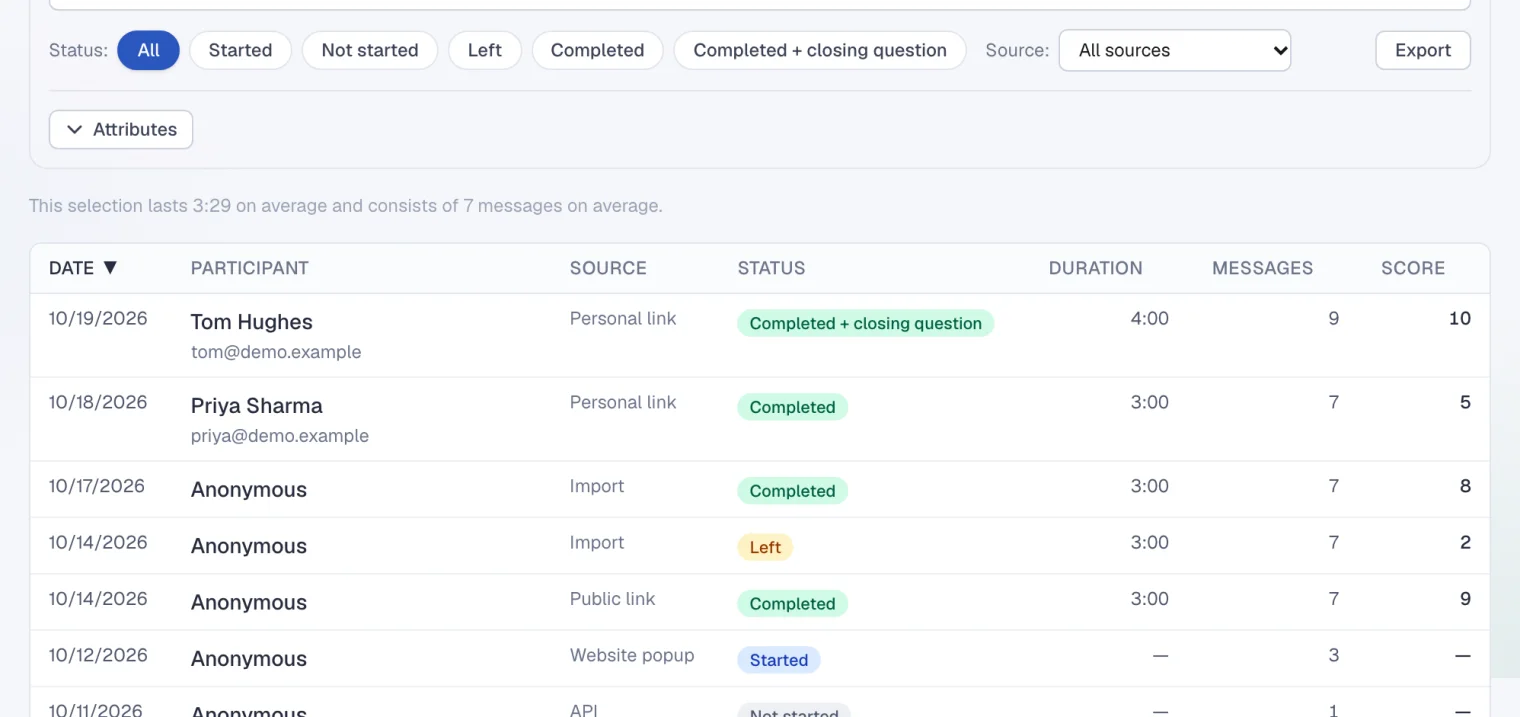
In All interviews you now see how an interview went: not started, abandoned halfway, completed, or completed with an answer to the closing question. Filter on abandoned interviews and you read exactly where people drop out. Sort on any column and export your selection to Excel, CSV or JSON.
Response per period
In Participants you can now choose the same period as in the results. The list and the response overview then only count the people invited in that period. So you see per month or per quarter how many people responded.

And behind the scenes
Interviews now stay quick to respond even when a great many people start at the same time. When the retention period for personal data runs out, names in an interview are replaced by [removed] and the rest stays readable. And topics that mean almost the same thing, such as workload and high workload, are merged before you see them.